Choosing a flat panel detector for X-ray is an important decision for hospitals, clinics, diagnostic centers, mobile X-ray providers, veterinary facilities, and medical equipment distributors.
A detector may look simple from the outside, but there are many differences between products.
Buyers may need to compare:
- detector size
- pixel pitch
- CsI or GOS
- wired or wireless communication
- detector weight
- battery life
- image quality
- durability
- IP rating
- software
- DICOM
- PACS compatibility
- X-ray system compatibility
- warranty
- service
- replacement options
- price
The lowest-priced DR detector is not always the right choice, and a detector with the smallest pixel pitch is not automatically the best solution.
The right approach is to match the detector to the X-ray machine, clinical application, daily workload, operating environment, and budget.
This buying guide explains the main factors to consider when selecting a flat panel detector, digital X-ray detector, wireless DR detector, or portable DR detector.
1. Start With Your X-Ray Application
Before comparing products, define where the detector will be used.
This is the first and most important step.
A detector for a fixed hospital radiography room may have very different requirements from one used for mobile X-ray.
Common applications include:
- hospital radiography
- clinic X-ray
- mobile X-ray
- bedside radiography
- emergency imaging
- orthopedic imaging
- veterinary X-ray
- portable radiography
- DR retrofit
- general radiography
- chest imaging
- extremity imaging
Ask:
Who will use the detector?
Where will it be used?
How often will it be moved?
What body parts will normally be imaged?
Does it need to work with an existing X-ray machine?
The answers will help narrow the selection.
2. Choose the Right Flat Panel Detector Size
Detector size is one of the first specifications to check.
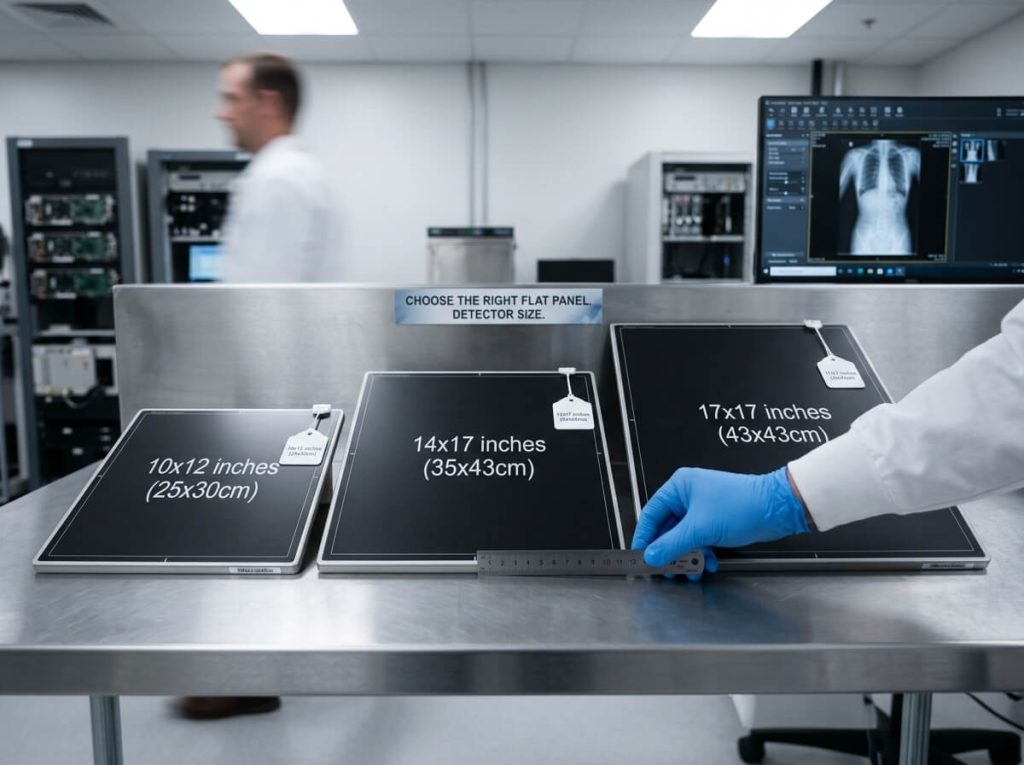
Common formats include:
- 14 × 17 inch
- 17 × 17 inch
- 24 × 30 cm
- 35 × 43 cm
- other application-specific formats
The appropriate size depends on the X-ray examination and the physical configuration of the equipment.
14 × 17 Inch Detector
A 14 × 17 flat panel detector is a common rectangular format for general radiography and mobile applications.
It may be suitable for:
- chest imaging
- general radiography
- orthopedic examinations
- mobile X-ray
- bedside X-ray
- veterinary imaging
Its relatively familiar cassette-style format can also be useful when adapting an existing system.
17 × 17 Inch Detector
A 17 × 17 flat panel detector provides a square imaging format.
It can be considered for applications where a larger square field of view is useful.
However, the larger format may also affect:
- detector weight
- handling
- tray requirements
- system integration
- storage
- cost
Smaller Detectors
Smaller detector formats may be suitable for specialized imaging or extremity applications.
The important point is:
Do not choose detector size based only on the largest possible field of view.
Consider the complete workflow.
3. Check the Existing Bucky or Detector Tray
For an existing X-ray system, physical compatibility is critical.
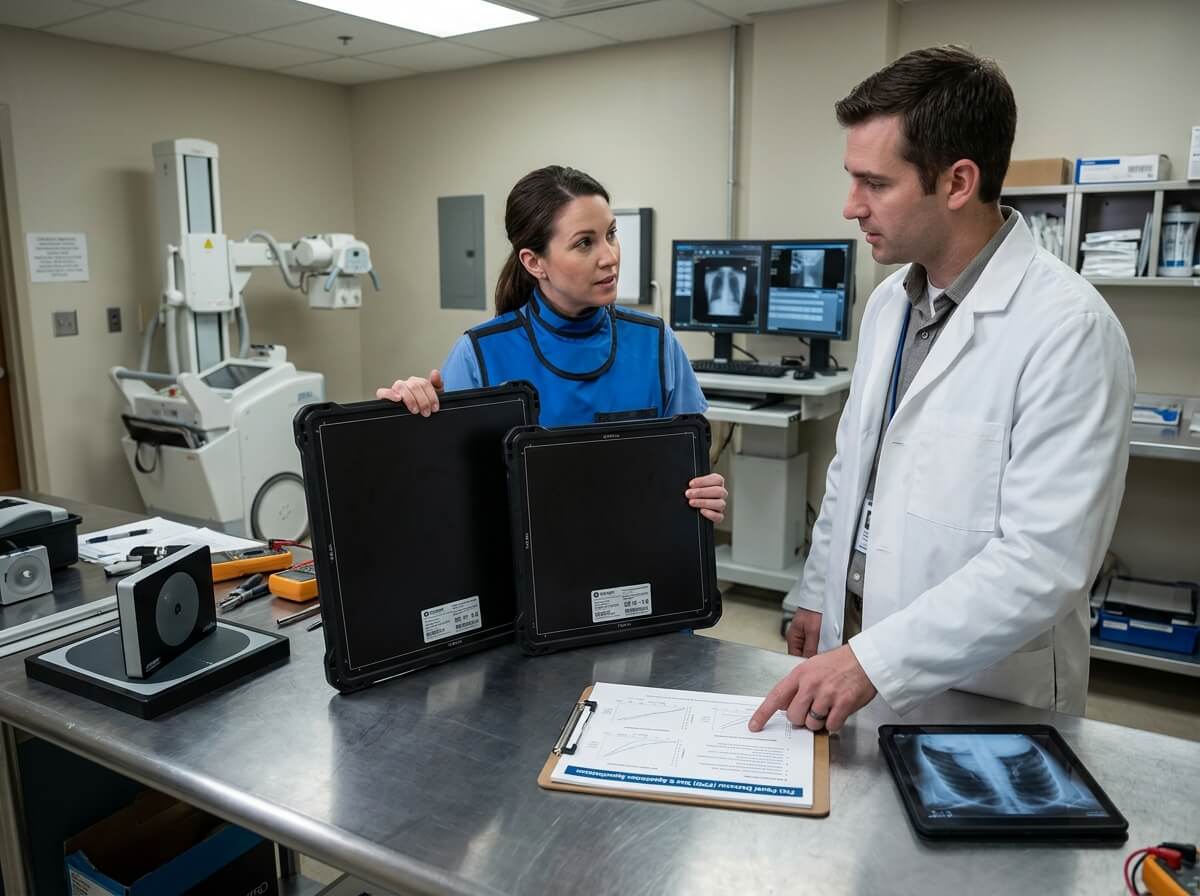
The detector must fit correctly inside the:
- Bucky
- wall stand
- radiography table
- mobile X-ray tray
- cassette holder
- detector holder
Check:
external dimensions
thickness
corner design
handle
connector location
active area
A detector that is too large may not fit into the existing tray.
A detector that fits loosely may create positioning problems.
For retrofit projects, buyers should provide the supplier with the existing equipment model and relevant mechanical dimensions before ordering.
4. Wired or Wireless Flat Panel Detector?
This is one of the most important purchase decisions.
Wired DR Detector
A wired detector connects to the system with a cable.
It can be suitable for:
- fixed radiography rooms
- wall stands
- radiography tables
- high-use stationary applications
Potential benefits include a straightforward connection and no requirement for wireless image transmission.
Wireless DR Detector
A wireless detector transfers image information without a permanent data cable between the detector and workstation.
It is commonly considered for:
- mobile X-ray
- bedside imaging
- emergency departments
- ICU
- veterinary imaging
- multi-room workflows
A wireless detector can make detector positioning more flexible.
However, it adds additional requirements such as:
- battery
- charging
- wireless communication
- network configuration
- connection management
Therefore:
wireless does not automatically mean better.
The question should be:
Does wireless communication provide a real benefit for this workflow?
5. How to Choose a Wireless DR Detector
When selecting a wireless flat panel detector, look beyond the word “wireless”.
Check:
Wireless Standard
Understand how the detector communicates with the acquisition workstation.
Transmission Stability
The connection should be suitable for the operating environment.
Battery
Check:
- battery type
- operating time
- charging time
- number of batteries
- battery replacement options
Wired Backup
Some systems may provide alternative connection methods.
Software
The detector must communicate correctly with the acquisition software.
Workflow
Consider how the operator will:
- position the detector
- expose
- receive the image
- review the image
- repeat the examination when necessary
A wireless detector should simplify this workflow rather than add unnecessary complexity.
6. Consider Pixel Pitch
Pixel pitch is another important FPD specification.
It describes the distance between neighboring detector pixel centers.
Common values may include:
- 100 μm
- 120 μm
- 140 μm
- 143 μm
- 150 μm
- 160 μm
- 180 μm
A smaller pixel pitch allows finer sampling.
But buyers should avoid the common mistake of assuming:
Smaller pixel pitch = automatically better detector.
Image performance also depends on:
- scintillator
- detector design
- DQE
- MTF
- image noise
- X-ray exposure
- image processing
- focal spot
- clinical application
Therefore, compare pixel pitch with the rest of the detector specifications.
7. CsI or GOS?
Many buyers ask:
Should I buy a CsI or GOS flat panel detector?
Both technologies can be used in indirect-conversion detectors.
CsI stands for cesium iodide.
GOS stands for gadolinium oxysulfide.
The correct selection depends on the complete detector design rather than the scintillator name alone.
Compare:
- DQE
- MTF
- pixel pitch
- noise
- active area
- detector weight
- durability
- battery
- application
- price
- software
- service
For a procurement project, ask the manufacturer for the actual detector specification sheet and test information.
8. What Detector Weight Should You Choose?
Weight becomes especially important when the detector is frequently moved.
For a fixed X-ray room, the detector may spend most of its time inside a wall stand or table.
For mobile X-ray, however, the operator may need to:
- carry the detector
- place it under the patient
- move it between rooms
- position it repeatedly
- clean it after examinations
In this case, even a relatively small difference in weight can affect daily usability.
For a portable DR detector, compare:
detector weight + battery weight + dimensions + grip + thickness
Do not evaluate the detector only by its nominal weight.
9. How Important Is Battery Life?
For wireless DR detectors, battery management can directly affect workflow.
Ask the supplier:
How many examinations can one battery support?
But do not rely on one theoretical number.
Actual battery performance can vary depending on:
- exposure frequency
- wireless transmission
- standby time
- operating temperature
- battery age
- detector settings
Also check:
- charging time
- spare battery availability
- battery replacement
- charging station
- battery warranty
A hospital with continuous mobile X-ray work may need a different battery strategy from a small clinic.
10. Check Detector Durability
A flat panel detector can be expensive and may be handled hundreds or thousands of times.
Durability is therefore important.
Look for specifications relating to:
- drop resistance
- shock resistance
- vibration resistance
- load capacity
- water resistance
- dust protection
- IP rating
- housing material
For mobile X-ray and veterinary applications, physical durability can become especially important.
A fixed-room detector may have a different durability requirement.
Always check the manufacturer’s stated test conditions rather than assuming that a particular detector can withstand every type of impact.
11. What Is an IP Rating?
An IP rating describes enclosure protection against solid objects and water under defined test conditions.
Buyers may see:
- IP54
- IP55
- IP65
- IP67
The exact meaning depends on the two digits in the rating.
For example, the first digit relates to protection against solids and the second relates to liquids.
For a hospital or veterinary application where frequent cleaning is required, protection against liquid ingress may be an important consideration.
However, an IP rating should not replace the manufacturer’s cleaning instructions.
Always verify:
- approved cleaning agents
- cleaning method
- maximum exposure
- connector protection
- operating conditions
12. Consider Your Daily Workload
The right detector for a clinic doing a limited number of examinations each day may be different from the right detector for a large hospital.
Think about:
examinations per day
examinations per hour
mobile examinations
number of rooms
number of operators
detector movement
battery charging
downtime risk
A busy radiology department may place greater value on durability, workflow reliability, battery management, and service support.
A smaller clinic may give more weight to:
- purchase price
- basic image performance
- ease of installation
- simple operation
- warranty
This is why the best detector is not necessarily the one with the longest specification sheet.
13. Consider Image Quality as a Complete System
When comparing digital X-ray detectors, avoid focusing on one image specification.
Relevant parameters can include:
- pixel pitch
- spatial resolution
- DQE
- MTF
- noise
- dynamic range
- detector sensitivity
- image matrix
These values should be interpreted together.
For example, one detector may have smaller pixels, while another may have different scintillator characteristics and signal performance.
The actual clinical value depends on the intended imaging task.
For most buyers, the most useful question is:
Does the detector provide suitable image performance for my application under the intended exposure conditions?
14. Check the Image Matrix
The pixel matrix describes how detector pixels are arranged across the active imaging area.
It can affect:
- image dimensions
- image data size
- image processing
- workstation requirements
- storage requirements
A large detector with a small pixel pitch can produce a large image matrix.
This may be useful for some applications but may also increase data size.
When comparing two detectors, review:
detector size + pixel pitch + matrix + active area
together.
15. Check Active Area
The active area determines how much of the detector is used for image acquisition.
Do not confuse:
overall detector dimensions
with:
active imaging area
Two detectors can have similar external dimensions but different usable imaging areas.
Active area is particularly important when checking:
- chest imaging
- whole-body imaging
- Bucky compatibility
- wall stand
- mobile applications
- retrofit installations
For replacement detectors, request a dimension drawing from the supplier.
16. Verify X-Ray Machine Compatibility
This is one of the most important parts of buying an FPD.
A detector is not necessarily compatible with every X-ray machine.
Compatibility can involve several levels.
Mechanical Compatibility
Does it fit the tray, Bucky, wall stand, or table?
Electrical Compatibility
Can the detector operate correctly with the system configuration?
Communication Compatibility
Can it communicate with the acquisition system?
Trigger Compatibility
Can exposure information be synchronized correctly?
Software Compatibility
Can the image acquisition software operate the detector?
PACS/DICOM Compatibility
Can images be transferred into the healthcare imaging workflow?
Before ordering, provide the supplier with:
- X-ray machine manufacturer
- machine model
- year
- generator information
- Bucky information
- detector tray dimensions
- existing software
- current imaging workflow
This can prevent expensive compatibility problems.
17. Can a Flat Panel Detector Be Used for DR Retrofit?
Yes, depending on the X-ray system.
A DR retrofit is an upgrade that adds digital radiography capability to an existing X-ray system.
A retrofit solution may include:
- flat panel detector
- acquisition workstation
- image software
- detector interface
- generator interface
- cables
- wireless communication
- mounting hardware
- DICOM connectivity
Retrofitting can be an option for facilities that already have a functional X-ray machine but want to move to a digital workflow.
However, the retrofit should be evaluated as a complete project.
The detector itself is only one part of the solution.
18. Think About Software
A detector is hardware, but the software determines how operators interact with the images.
Check whether the system provides:
- image acquisition
- image processing
- image enhancement
- image annotation
- measurement
- image storage
- export
- DICOM
- PACS connectivity
- user management
- image backup
For hospitals, software compatibility can be just as important as detector specifications.
A detector that cannot integrate smoothly into the existing imaging workflow may create operational problems even when the hardware specifications look attractive.
19. DICOM and PACS Compatibility
DICOM is widely used for communication and management of medical imaging information.
PACS, or Picture Archiving and Communication System, is used to store and manage medical images.
For a hospital or imaging center, ask:
Does the system support DICOM?
Can it connect to our PACS?
What DICOM services are supported?
Can patient information be transferred from the hospital system?
Can images be exported in the required format?
These questions should be answered before purchase.
20. Consider the Detector Workflow
Two detectors can have similar technical specifications but produce different user experiences.
Map out the actual workflow:
Patient registration
↓
Patient positioning
↓
Detector positioning
↓
X-ray exposure
↓
Image acquisition
↓
Image preview
↓
Image review
↓
Image storage
↓
PACS transfer
A good detector should fit naturally into this process.
For mobile X-ray, the workflow may need to be even simpler because the operator works in different wards and patient locations.
21. Hospital Flat Panel Detector Buying Guide
Hospitals should usually evaluate more than basic detector performance.
Important areas include:
Clinical Requirements
- general radiography
- chest imaging
- orthopedic imaging
- mobile X-ray
- emergency imaging
Operational Requirements
- daily workload
- number of users
- battery management
- cleaning
- detector movement
IT Requirements
- DICOM
- PACS
- network
- workstation
- patient information
Procurement Requirements
- price
- warranty
- spare parts
- technical support
- training
- service response
Long-Term Requirements
- battery availability
- detector replacement
- software updates
- repair
- future compatibility
This approach is more useful than choosing a detector based on specifications alone.
22. Flat Panel Detector for Clinics
Small and medium-sized clinics may have different priorities.
A clinic might prefer:
- easy installation
- simple software
- compact workflow
- reasonable weight
- basic wireless capability
- low maintenance
- reliable support
- predictable cost
For a single-room X-ray clinic, a wired detector may be sufficient.
For a clinic using a mobile X-ray system, a wireless detector may provide additional flexibility.
The correct choice depends on actual use.
23. Flat Panel Detector for Mobile X-Ray
For mobile X-ray, the key factors often include:
portability
wireless communication
battery
durability
detector size
weight
image preview
software
system compatibility
A mobile DR detector must also be easy to handle.
Operators may need to move the detector between patients and wards throughout the day.
A detector that is technically advanced but difficult to carry may reduce workflow efficiency.
24. Flat Panel Detector for Veterinary Imaging
Veterinary X-ray has its own requirements.
Animals may be less cooperative than human patients and may need different positioning.
This can increase the importance of:
- flexible detector positioning
- portability
- durability
- easy cleaning
- wireless communication
- detector size
For veterinary clinics, buyers should also consider whether the system supports the animal sizes and examination types most commonly performed.
25. Compare New Detector vs Replacement Detector
When replacing an existing detector, ask why it is being replaced.
Possible reasons include:
- detector damage
- aging
- battery degradation
- outdated software
- compatibility problems
- image quality concerns
- lack of spare parts
- workflow limitations
A replacement does not necessarily need to have exactly the same specification as the old detector.
But it does need to meet the required:
physical dimensions
system interface
application needs
image requirements
workflow
software compatibility
26. How Much Should You Spend on a Flat Panel Detector?
There is no universal price for a flat panel detector.
The cost can vary based on:
- detector size
- technology
- CsI or GOS
- pixel pitch
- wired or wireless design
- battery
- durability
- software
- certifications
- accessories
- warranty
- technical support
- order quantity
A low purchase price can become less attractive if the detector has:
- expensive batteries
- limited service
- difficult integration
- poor availability of spare parts
- short warranty
- software limitations
Therefore, compare total cost of ownership, not only purchase price.
27. What Is Total Cost of Ownership?
Total cost of ownership can include:
purchase price
software
installation
integration
training
battery
maintenance
repairs
spare parts
downtime
replacement
This is particularly important for hospitals and distributors.
Two detectors with similar initial prices may have different long-term costs.
28. How to Compare Flat Panel Detector Suppliers
Choosing the right flat panel detector supplier is as important as choosing the detector.
When evaluating a supplier, check:
Product Experience
Does the supplier specialize in digital X-ray detectors and medical imaging?
Manufacturing Capability
Does the supplier have its own manufacturing capability?
Technical Support
Can the supplier provide installation and troubleshooting support?
Compatibility Support
Can the supplier confirm compatibility with your current X-ray equipment?
Documentation
Can the supplier provide:
- specification sheets
- manuals
- certificates
- drawings
- software information
- integration information
Spare Parts
Can batteries, cables, chargers, and other accessories be supplied?
Warranty
What is included in the warranty?
Delivery
Can the supplier meet the required delivery schedule?
OEM / ODM
For distributors, is private-label or customized supply available?
These questions can help separate a simple trading source from a supplier capable of supporting a longer-term medical equipment project.
29. Questions to Ask a Flat Panel Detector Manufacturer
Before requesting a quotation, prepare the technical information.
A useful supplier inquiry can include:
X-ray system model:
Application:
Required detector size:
Wired or wireless:
Required pixel pitch:
Required scintillator:
Daily workload:
Required software:
DICOM/PACS requirement:
Detector tray dimensions:
Target market:
Quantity:
Required certification:
This gives the manufacturer enough information to recommend a more suitable detector configuration.
30. Flat Panel Detector Buying Checklist
Before purchasing, use this checklist.
Application
□ Hospital
□ Clinic
□ Mobile X-ray
□ Emergency
□ Orthopedic
□ Veterinary
□ Retrofit
Detector
□ Detector size
□ Pixel pitch
□ Pixel matrix
□ Active area
□ CsI/GOS
□ Direct/indirect conversion
Wireless
□ Wireless communication
□ Battery
□ Charger
□ Spare battery
□ Wireless range
Physical
□ Weight
□ Thickness
□ Durability
□ IP rating
□ Load capacity
Software
□ Acquisition software
□ Image processing
□ DICOM
□ PACS
□ Workstation
Compatibility
□ X-ray generator
□ Bucky
□ Wall stand
□ Table
□ Mobile X-ray system
Commercial
□ Unit price
□ Accessories
□ Warranty
□ Spare parts
□ Technical support
□ Delivery time
□ Total cost of ownership
31. Common Mistakes When Buying an FPD
Mistake 1: Choosing Only by Price
A low-cost detector may look attractive initially, but integration, warranty, batteries, and service can affect the total cost.
Mistake 2: Choosing Only by Pixel Pitch
A smaller pixel pitch does not automatically make one detector better for every application.
Mistake 3: Ignoring Compatibility
A detector may have excellent specifications but fail to integrate with the existing X-ray system.
Mistake 4: Ignoring Weight
This is especially important for mobile X-ray and veterinary applications.
Mistake 5: Forgetting Battery Support
Wireless detectors depend on battery management.
Mistake 6: Ignoring Software
Hardware and software need to work together.
Mistake 7: Buying Without Technical Drawings
A detector that does not fit the existing tray can create significant installation problems.
Mistake 8: Comparing Only One Supplier
Different suppliers may offer different combinations of detector technology, software, warranty, and service.
32. What Is the Best Flat Panel Detector for a Hospital?
There is no single detector that is best for every hospital.
A hospital with a fixed radiography room may prioritize:
- image quality
- workflow
- detector size
- reliability
- integration
A hospital using mobile X-ray may prioritize:
- weight
- wireless communication
- battery
- durability
- portability
A large hospital may also place greater emphasis on:
- service
- spare parts
- multiple detector management
- PACS integration
- long-term support
The best choice is the detector that fits the hospital’s actual operating environment.
33. What Is the Best Flat Panel Detector for Mobile X-Ray?
For mobile X-ray, prioritize:
low or manageable weight
wireless operation
battery performance
durability
suitable detector size
fast workflow
software compatibility
system integration
The exact balance depends on the mobile X-ray system and examination type.
34. What Is the Best Flat Panel Detector for Veterinary X-Ray?
For veterinary applications, consider:
- detector size
- portability
- wireless operation
- durability
- cleaning
- battery
- image quality
- animal size
- application
- software
For small-animal clinics, portability can be especially useful.
For equine or large-animal imaging, detector size and physical durability may receive greater priority.
35. What Is the Best Size for a DR Detector?
There is no universal detector size.
14 × 17 inch is a common format for general and mobile radiography.
17 × 17 inch provides a larger square imaging format.
Smaller detector sizes may be suitable for specific applications.
The correct choice depends on:
patient anatomy + X-ray system + field of view + tray dimensions + portability + workflow
36. How to Request a Flat Panel Detector Quote
A good RFQ should be specific.
Instead of asking:
Please send your DR detector price.
Provide:
We need a wireless 14 × 17 inch flat panel detector for an existing mobile X-ray system. Please provide the pixel pitch, scintillator type, active area, weight, battery information, IP rating, software compatibility, DICOM support, compatibility requirements, warranty, lead time, and quotation.
A detailed RFQ makes supplier responses easier to compare.
37. Flat Panel Detector Supplier vs Manufacturer
These terms are not always the same.
A manufacturer produces the equipment or has direct control over manufacturing.
A supplier may manufacture products, distribute products, or provide integrated solutions from multiple sources.
For large procurement projects, buyers may want to understand:
- manufacturing location
- quality management
- production capability
- export experience
- technical team
- documentation
- OEM capability
- ODM capability
- after-sales support
This information is especially useful when purchasing multiple units or building a long-term distributor relationship.
Frequently Asked Questions
How do I choose a flat panel detector?
Start with the application, then compare detector size, pixel pitch, technology, wireless or wired design, weight, battery, durability, software, compatibility, service, and total cost.
What is the most important specification of an FPD?
There is no single most important specification. The importance of each parameter depends on the X-ray application and workflow.
Should I choose a wireless or wired DR detector?
Choose wireless when detector mobility is important. A wired detector can be practical for fixed radiography rooms.
What size flat panel detector should I buy?
Common choices include 14 × 17 inch and 17 × 17 inch formats. The correct choice depends on the imaging application and equipment configuration.
Is a 14 × 17 detector good for mobile X-ray?
A 14 × 17 detector can be suitable for mobile X-ray, but the final choice should also consider weight, battery, wireless communication, durability, and system compatibility.
Is 17 × 17 better than 14 × 17?
Not necessarily. The larger square format may be useful for certain imaging applications, while the smaller rectangular format may offer advantages in portability or cassette-style compatibility.
Should I choose CsI or GOS?
Compare the complete detector specifications and intended application rather than selecting solely from the scintillator material.
What pixel pitch should I choose?
The suitable pixel pitch depends on the imaging requirements and complete detector design. Smaller pixel pitch is not automatically better in every application.
How do I know whether an FPD is compatible with my X-ray machine?
Check mechanical dimensions, tray or Bucky compatibility, generator communication, exposure synchronization, software, and detector interface. Provide the supplier with your X-ray machine model and relevant specifications.
Can I use a new DR detector with an old X-ray machine?
Potentially, yes. A suitable detector can be part of a DR retrofit project, but compatibility needs to be confirmed before purchase.
What should I ask a DR detector supplier?
Ask about detector technology, size, pixel pitch, image performance, battery, weight, durability, IP rating, software, DICOM, PACS, compatibility, warranty, spare parts, lead time, and service.
How much does a flat panel detector cost?
Price depends on size, technology, wireless capability, image specifications, software, durability, accessories, warranty, and supplier configuration.
What is the difference between a flat panel detector supplier and manufacturer?
A manufacturer produces or directly controls production, while a supplier may manufacture, distribute, or integrate products. Buyers should verify the supplier’s actual manufacturing and service capabilities.
Is a lightweight detector better?
A lightweight detector can be easier to handle, especially for mobile and veterinary imaging, but weight should be evaluated together with durability and other specifications.
Why is battery life important in wireless FPDs?
A wireless detector depends on battery power for operation and communication. Poor battery management can interrupt the imaging workflow.
Does a higher DQE mean the detector is always better?
DQE is an important technical measure, but it should be evaluated with MTF, noise, pixel pitch, application, and other specifications.
Should I buy a replacement detector from the original manufacturer?
Not necessarily, but compatibility and technical support should be verified carefully when using a replacement from another supplier.
Can one detector be used for multiple X-ray machines?
This depends on detector compatibility, software, communication, mechanical configuration, and the system architecture.
What information should I give a supplier before requesting a quote?
Provide the X-ray machine model, detector size, application, wired or wireless requirement, expected workload, software requirements, compatibility information, quantity, target market, and required certifications.
Final Buying Checklist
Before making the final purchase decision, ask these questions:
1. What will the detector be used for?
2. What detector size do I need?
3. Should it be wired or wireless?
4. What pixel pitch is appropriate?
5. Is CsI or GOS suitable for my application?
6. How important is detector weight?
7. How long does the battery need to operate?
8. What durability and IP protection are required?
9. Does it fit the existing Bucky or detector tray?
10. Is it compatible with my X-ray generator?
11. Does the software support my workflow?
12. Is DICOM/PACS integration available?
13. What warranty is included?
14. Are spare batteries and replacement parts available?
15. What is the total cost of ownership?
16. Can the supplier provide technical support?
These questions provide a practical framework for comparing different flat panel detector manufacturers, DR detector suppliers, digital X-ray detector suppliers, and medical imaging equipment companies.
Conclusion
Choosing a flat panel detector for X-ray should be based on more than price or a single technical specification.
The right detector is determined by the relationship between:
application
detector size
technology
pixel pitch
image performance
weight
battery
durability
software
compatibility
service
total cost
For fixed hospital radiography, the priorities may focus on image performance, integration, reliability, and workflow.
For mobile X-ray, portability, wireless communication, battery performance, and durability may become more important.
For veterinary imaging, flexibility, weight, durability, and cleaning requirements can influence the decision.
For DR retrofit projects, compatibility with the existing X-ray machine is critical.
The most effective procurement process is therefore:
Define the application → confirm detector size → determine wired/wireless needs → compare specifications → check compatibility → evaluate software → compare suppliers → calculate total cost → verify warranty and support.
By following this process, hospitals, clinics, distributors, veterinary facilities, and X-ray equipment integrators can make a more informed decision when purchasing a flat panel detector, wireless DR detector, portable DR detector, or digital X-ray detector.