
Introduction
Airport security has become an essential part of modern air travel, and airport X-ray machines and airport X-ray machines for bags play a critical role in keeping passengers and aircraft safe.
Every day, millions of pieces of luggage pass through airport X-ray scanners, allowing security teams to inspect the contents of bags without physically opening them. From detecting prohibited items to identifying potential threats, these advanced baggage screening systems combine X-ray imaging technology, artificial intelligence, and automated detection algorithms to improve airport security efficiency.
In this comprehensive guide, we will explore how airport X-ray machines work, how baggage scanners create images of luggage contents, what security officers look for on X-ray screens, the difference between traditional X-ray and modern CT scanning technology, and common questions about radiation safety, electronics, and passenger preparation.
Whether you are a traveler interested in airport security or a professional looking for information about airport X-ray machines and baggage inspection systems, this guide explains the technology behind one of the most important security solutions in aviation.
What Is an Airport X-Ray Machine for Bags?
An airport X-ray machine for bags is a security inspection system designed to examine luggage, checked baggage, and carry-on items without opening the bag.
These machines use X-ray imaging technology to create detailed images of objects inside luggage. By analyzing how different materials absorb X-rays, security systems can help operators identify prohibited items, suspicious objects, and potential security risks.
Unlike traditional manual inspections, an airport baggage X-ray scanner allows security personnel to quickly inspect thousands of bags while maintaining passenger convenience and efficient airport operations.
Modern airport X-ray machines typically include:
- X-ray generator systems
- Conveyor belt transportation systems
- High-resolution detectors
- Image processing software
- Threat detection algorithms
- Operator display monitors
Depending on airport requirements, baggage screening systems can include single-view X-ray scanners, dual-energy X-ray systems, and advanced CT-based 3D imaging scanners.
The Evolution of the Airport Checkpoint
Before diving into the mechanics of modern screening, it is helpful to understand how we got here. In the early days of commercial aviation, baggage screening was virtually nonexistent. It wasn’t until the 1970s, following a string of high-profile hijackings, that the aviation industry realized the urgent need for comprehensive screening. Early machines were rudimentary, offering grainy, black-and-white images that relied entirely on the operator’s ability to spot the shapes of obvious weapons like guns or knives.
The events of September 11, 2001, fundamentally changed the landscape of airport security. The creation of specialized security agencies, such as the Transportation Security Administration (TSA) in the United States, ushered in a new era of stringent protocols and rapid technological advancement. The goal shifted from merely spotting metal weapons to identifying complex, non-metallic threats, including liquid explosives and intricate improvised explosive devices (IEDs). This necessitated a massive leap forward in screening technology.
How Airport Baggage X-Ray Scanners Help Airport Security
Airport baggage X-ray scanners provide a fast and reliable method for inspecting passenger luggage at security checkpoints.
The main purpose of an airport X-ray scanner is not only to detect weapons but also to identify a wide range of materials based on their density and chemical composition.
Modern systems help security teams detect:
- Metal objects and weapons
- Explosive materials
- Suspicious electronic components
- Large amounts of liquids
- Hidden objects inside luggage
By combining advanced imaging technology with trained security operators, airport X-ray machines for bags improve both security accuracy and passenger processing speed.
How Airport Security Scanners Work: The Science of Seeing Through Solid Objects
To understand the modern checkpoint, we must first answer a fundamental question: how airport security scanners work.
At its core, a baggage scanner relies on X-rays, a form of electromagnetic radiation with wavelengths shorter than visible light. Because of their high energy, X-rays can pass through many solid materials. When a piece of luggage enters the tunnel of the machine, an X-ray generator (usually located at the bottom or side of the tunnel) produces a concentrated beam of X-rays.
As these rays pass through your bag, they interact with the objects inside. Different materials absorb (or “attenuate”) X-rays at different rates based on their atomic mass and density.
Types of Airport X-Ray Machines for Bags
Airport security requirements vary depending on airport size, passenger volume, and inspection needs. As a result, different types of airport X-ray machines for bags are used around the world.
The most common baggage screening systems include single-view X-ray scanners, dual-view X-ray machines, and advanced CT-based security scanners.
1. Single-View Airport X-Ray Scanner
A single-view airport X-ray scanner uses one X-ray generator and one detector system to create a two-dimensional image of luggage.
These systems are commonly used in:
- Small airports
- Transportation facilities
- Government buildings
- Security checkpoints with lower baggage volumes
Advantages include:
- Simple operation
- Lower equipment cost
- Fast installation
- Reliable basic inspection capability
2. Dual-View X-Ray Baggage Scanner
A dual-view X-ray baggage scanner uses two X-ray viewing angles to provide additional image information.
Compared with traditional single-view systems, dual-view scanners help security operators:
- Reduce blind spots
- Improve object recognition
- Analyze overlapping items more effectively
They are widely used in airports where higher inspection accuracy is required.
3. CT-Based 3D Airport Baggage Scanner
The latest generation of airport baggage X-ray scanners uses computed tomography (CT) technology.
Unlike traditional 2D systems, CT scanners rotate the X-ray source around the luggage and create a detailed three-dimensional image.
Key benefits include:
- 3D visualization of baggage contents
- Improved explosive detection capability
- Reduced manual inspection requirements
- Faster passenger processing
Large international airports increasingly adopt CT-based screening systems to improve both security and passenger experience.
Comparison of Different Airport X-Ray Machines
| Technology | Image Type | Main Advantage | Typical Application |
|---|---|---|---|
| Single-view X-ray scanner | 2D image | Simple and cost-effective | Small checkpoints |
| Dual-view X-ray scanner | Multi-angle 2D | Better object identification | Airports |
| CT baggage scanner | 3D image | High detection accuracy | Large airports |
- Generation: The machine generates a fan-shaped beam of X-rays.
- Penetration: The beam passes through the luggage moving on the conveyor belt.
- Detection: An L-shaped array of detectors on the opposite side of the tunnel measures how many X-rays successfully passed through the bag.
- Image Creation: The data from the detectors is instantly processed by a computer, which generates a visual representation of the bag’s contents on the operator’s screen.
Materials that are dense and have a high atomic number (like steel or lead) block most of the X-rays, meaning very few reach the detector. Materials with lower atomic numbers (like clothing, food, or plastic) allow more X-rays to pass through.
Dual-Energy X-Ray Technology for Security
Modern airport X-ray machines for bags have evolved significantly from early black-and-white scanners. Today, most professional baggage screening systems use advanced dual-energy X-ray technology to improve material identification and threat detection.
Instead of using a single burst of X-rays, these advanced machines use a detector array that evaluates two distinct energy levels—high energy and low energy. After the X-rays pass through the bag, they hit a first layer of detectors that measures the low-energy rays. The beam then passes through a thin copper filter (which strips away the remaining low-energy rays) before hitting a second layer of detectors that measures the high-energy rays.
By comparing the data from both the high and low-energy detectors, the machine’s computer can accurately calculate the atomic number of the materials inside your bag. This is a game-changer because it allows the machine to differentiate between materials that might have the exact same density but different chemical compositions—such as distinguishing a block of modeling clay from a block of plastic explosives.
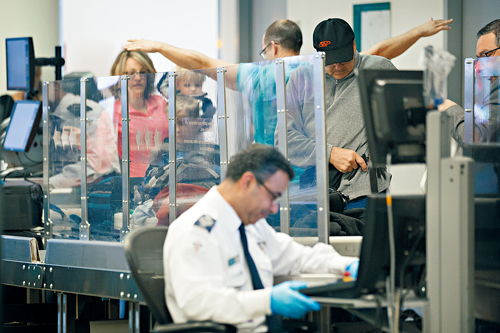
Color Codes on Airport Security Monitor
The color display system is one of the most important features of modern airport baggage X-ray scanners. It allows operators to quickly understand material differences and identify potential security concerns.
The data gathered by dual-energy technology would be useless if security officers couldn’t interpret it quickly. To solve this, the machine translates atomic numbers into a standardized color palette. If you have ever sneaked a peek at the screen over an agent’s shoulder, you have seen this rainbow of information.
Understanding the color codes on airport security monitor displays is the key to knowing what the agents are looking for:
- Orange (Organic Materials): Materials with low atomic numbers appear orange. This includes plastics, paper, textiles, food, rubber, wood, and leather. Crucially, most explosive materials and illegal narcotics are also organic and will show up as orange.
- Green (Mixed/Intermediate Materials): Materials with medium atomic numbers appear green. This category typically includes aluminum, glass, ceramics, and some mixed-metal alloys. An aluminum soda can or a glass perfume bottle will glow green on the screen.
- Blue or Black (Inorganic/Heavy Materials): Dense materials with high atomic numbers show up as blue. This includes copper, brass, steel, and lithium batteries. Complex electronics like laptops usually appear as a dense thicket of blue and green. If an object is so dense that no X-rays can pass through it at all (like a thick steel padlock or a lead shield), it will appear completely black.
When an officer sees a dense blue shape in the outline of a firearm, the threat is obvious. However, if they see a large, dense orange mass with wires (which would show up as blue) running into it, it signals a potential explosive device, prompting an immediate secondary search.
Traditional X-Ray vs. Modern 3D Technology
While dual-energy X-ray machines have been the standard for years, the technology is undergoing another massive evolution. The current trend in airport security involves replacing traditional 2D scanners with Computed Tomography (CT) technology.
Airport X-Ray Scanner Technology Development
Airport security scanning technology continues to improve as airports face increasing passenger volumes and more complex security requirements.
The development trend of modern airport X-ray machines includes:
Higher Image Resolution
Advanced detectors provide clearer images, helping operators identify small or hidden objects.
Artificial Intelligence Detection
AI-based algorithms can analyze scanned images and automatically highlight suspicious items.
Faster Screening Speed
Modern baggage scanners are designed to inspect more luggage while maintaining security accuracy.
Better Passenger Experience
New CT-based systems allow passengers to keep more items inside their carry-on bags, reducing checkpoint waiting time.
Companies and organizations looking for professional X-ray imaging solutions can explore advanced X-ray technologies designed for different inspection requirements.
Factors to Consider When Choosing an X-Ray Baggage Scanner
Choosing the right X-ray baggage scanner requires careful consideration of security requirements, operational environment, and inspection efficiency. Different airports, transportation hubs, and security facilities may have different needs depending on passenger volume, baggage size, and detection requirements.
Before selecting an airport X-ray machine, organizations should evaluate several important factors.
1. Image Quality and Detection Accuracy
Image quality is one of the most important factors when choosing an airport X-ray scanner.
High-resolution imaging helps security operators clearly identify objects inside luggage, especially when multiple items overlap.
Advanced X-ray baggage scanners typically include:
- High-resolution detectors
- Enhanced image processing software
- Material discrimination technology
- Zoom and image enhancement functions
Better image quality improves detection accuracy and reduces the need for repeated manual inspections.
2. Tunnel Size and Baggage Capacity
The tunnel opening size directly affects what types of luggage and items can be inspected.
For example:
- Small baggage scanners are suitable for carry-on luggage and personal items.
- Larger tunnel systems are designed for checked baggage, cargo, and oversized packages.
When selecting an airport baggage X-ray scanner, organizations should consider:
- Maximum baggage dimensions
- Conveyor width and speed
- Daily inspection volume
- Available installation space
A properly sized system helps maintain smooth passenger flow and efficient security operations.
3. Security Features and Detection Technology
Modern airport X-ray machines are equipped with advanced technologies designed to improve threat identification.
Important security features include:
- Dual-energy X-ray imaging
- Explosives detection algorithms
- Automatic threat alerts
- Multi-level image analysis
- Operator assistance software
These technologies help security teams identify suspicious materials more quickly and accurately.
4. Processing Speed and Operational Efficiency
Busy airports require equipment that can handle large numbers of bags without creating delays.
Important performance factors include:
- Conveyor speed
- Image processing time
- Continuous operation capability
- System reliability
A high-performance X-ray baggage scanner should provide accurate inspection while maintaining fast passenger throughput.
5. Maintenance, Training, and Technical Support
Long-term reliability is another important consideration when investing in an airport X-ray machine.
Organizations should evaluate:
- Equipment durability
- Availability of spare parts
- Technical support services
- Operator training
- Software updates
Reliable after-sales support helps ensure stable operation and reduces unexpected downtime.
6. Compliance With Security Standards
Before purchasing an X-ray screening system, organizations should ensure that the equipment meets relevant security requirements and operational standards.
Depending on the application and region, buyers may need to consider:
- Airport security regulations
- Detection performance requirements
- Installation standards
- Local certification requirements
Selecting compliant equipment helps ensure safe and effective security operations.
Choosing the Right X-Ray Baggage Scanner Solution
The best airport X-ray machine depends on the specific application, inspection environment, and security objectives.
Small facilities may require compact and cost-effective scanners, while international airports often need advanced systems with higher detection capability, automation, and 3D imaging technology.
By evaluating image quality, scanning performance, security features, and long-term support, organizations can select an X-ray baggage inspection solution that improves both safety and operational efficiency.
The Difference Between CT and X-Ray Baggage Screening
The primary difference between CT and X-ray baggage screening lies in the dimensionality and depth of the imaging. Traditional dual-energy machines create a flat, two-dimensional image. If a traveler packs a heavy metal water bottle directly on top of a dense bag of toiletries, the resulting 2D image might be a cluttered, overlapping mess, obscuring what lies beneath. This phenomenon, known as “clutter,” is the main reason passengers have historically been required to remove laptops and liquids from their bags.
CT scanners, on the other hand, operate similarly to the medical CT scanners used in hospitals. Instead of a fixed X-ray beam, the CT scanner’s X-ray generator and detectors spin rapidly around the luggage as it moves through the tunnel on the conveyor belt. This shoots hundreds of images from every conceivable angle.
3D Baggage Imaging Systems for Airports
The computer compiles these hundreds of cross-sectional slices into a highly detailed, three-dimensional model. These 3D baggage imaging systems for airports allow security officers to use a touchscreen to physically rotate, tilt, and zoom in on the image of the bag’s contents. If a water bottle is blocking the view of an electronic device, the officer can simply rotate the 3D image to look behind the water bottle.
Because of this unparalleled visibility, checkpoints equipped with CT scanners often allow passengers to leave their laptops, electronics, and even approved liquids inside their carry-on bags, significantly speeding up the TSA baggage screening process for passengers.
High-Resolution Airport Screening Equipment
Furthermore, this high-resolution airport screening equipment is powered by advanced software that can automatically calculate the exact mass and density of objects within the bag. This allows the system to cross-reference the chemical signature of every item in the bag against a vast, continuously updated database of known threat materials. If a match is found, a red box automatically appears on the screen around the suspicious item, alerting the operator before they even have a chance to manually inspect the image.
What Are the Scanners Actually Looking For?
With all this incredible technology at their disposal, what exactly are security agents trained to find? The list of prohibited items detected by airport scanners is extensive and falls into a few major categories:
- Weapons and Sharp Objects: This is the most obvious category. Guns, knives, martial arts weapons, brass knuckles, and even realistic replicas are strictly prohibited in the cabin. The high density of these items means they show up bright blue or black on the screen, and their distinctive shapes make them relatively easy for operators to spot.
- Explosives and Flammable Materials: This is the primary focus of modern aviation security. Gunpowder, dynamite, C4, flares, and lighter fluid are strictly banned. Because many explosives are organic, they appear orange on the scanner, which requires operators to carefully analyze the shape and context of orange masses within a bag.
- Liquids, Aerosols, and Gels (LAGs): Under standard rules (often referred to as the 3-1-1 rule), liquids must be in containers of 3.4 ounces (100 ml) or less and fit within a single quart-sized clear bag. Scanners can easily detect the volume of liquids inside a bag.
- Tools and Blunt Instruments: Hammers, crowbars, baseball bats, and large tools that could be used as bludgeons or to dismantle aircraft components are flagged and must be placed in checked luggage.
Automated Explosives Detection Systems
While human operators are highly trained, fatigue and human error are inevitable. To combat this, modern checkpoints integrate automated explosives detection systems (EDS). These algorithms run in the background of both standard and CT scanners.
If the EDS detects a material whose density and atomic number perfectly match a known explosive, it triggers an automated alarm. This technology is heavily relied upon not just at the passenger checkpoint, but also in the massive, room-sized scanners that screen the checked luggage loaded into the cargo hold of the aircraft.
Safety First: Are Baggage Scanners Harmful?
Whenever X-rays are mentioned, concerns about radiation and safety naturally follow. Travelers often wonder if the machines will harm their belongings, their electronics, or even themselves as they stand nearby.
Radiation Levels in Airport Luggage Scanners
Let us first address the safety of the environment. The radiation levels in airport luggage scanners are incredibly low and strictly regulated. The machines are heavily shielded with lead paneling and thick, lead-impregnated vinyl curtains at the entrance and exit of the tunnel.
According to health and safety organizations, the amount of radiation leakage from a baggage scanner is practically zero. You would have to stand extremely close to the machine’s entrance while it is operating for hundreds of hours to receive a radiation dose equivalent to a standard dental X-ray. It is perfectly safe to stand next to the conveyor belt while retrieving your bags.
Safety of Luggage X-Ray for Electronics
One of the most common anxieties among business travelers and content creators is the safety of luggage X-ray for electronics. Will the scanner wipe a hard drive, fry a laptop motherboard, or erase a smartphone’s memory?
The definitive answer is no. Airport X-ray machines are completely safe for all digital electronics. X-rays are a form of light, not magnetism. Digital data on hard drives, solid-state drives (SSDs), SD cards, and smartphones is stored magnetically or electronically. Because X-ray machines do not emit magnetic fields, there is absolutely zero risk of data loss or hardware damage to your electronic devices. You can confidently send your most expensive laptops and cameras through the scanner.
Can Airport X-Rays Damage Undeveloped Film?
While digital electronics are safe, analog photography is a completely different story. A frequently asked question by photographers is: can airport X-rays damage undeveloped film?
The answer is a resounding yes. Photographic film is inherently sensitive to light and radiation. When undeveloped film passes through a baggage scanner, the X-rays can cause a chemical reaction on the film strip, resulting in “fogging.” This fogging manifests as cloudy, degraded, or completely ruined photographs once the film is developed.
The risk depends on two factors: the speed (ISO) of the film and the type of scanner used.
- Traditional Dual-Energy Scanners: Generally, lower-speed film (under ISO 800) can survive a single pass through a traditional X-ray machine without noticeable damage. However, multiple passes (such as on a trip with connecting flights) have a cumulative effect and will eventually degrade the film. High-speed film (ISO 800 and above) is highly sensitive and can be ruined in a single pass.
- Modern CT Scanners: If the checkpoint is using a new 3D CT scanner, no film is safe. Because CT scanners shoot intense X-rays from multiple angles, a single pass will completely destroy undeveloped film of any ISO.
Actionable Tip for Photographers: Never pack undeveloped film in checked luggage (cargo scanners are much more powerful). Always pack your film in a clear, plastic ziplock bag in your carry-on. When you reach the checkpoint, hand the bag of film directly to a TSA officer and politely request a “hand check.” By law in many jurisdictions, including the US, officers are required to accommodate this request, bypassing the X-ray machine entirely.
Navigating the Passenger Experience
Understanding the technology is only half the battle; knowing how to navigate it efficiently is the other. The TSA baggage screening process for passengers is designed to be systematic, but it requires cooperation from the traveler.
The TSA Baggage Screening Process for Passengers
When you approach the screening belt, how you pack your bins can dictate whether you breeze through or get pulled aside for a time-consuming secondary search.
- Listen to Instructions: Checkpoint rules change depending on the equipment installed in that specific lane. If the lane has an older 2D scanner, you must remove large electronics and liquids. If it has a modern CT scanner, you will likely be told to leave everything inside your bag.
- Layering: Avoid overstuffing your bag with dense materials. If you have thick books, a tangle of charging cables, and a heavy toiletry bag all piled on top of each other, the machine will not be able to see through the “clutter.” The officer will have to open your bag. Pack in neat, flat layers.
- Electronics: If instructed to remove them, place laptops and tablets in a bin by themselves, with nothing resting on top or underneath them. This provides the scanner with a clear, unobstructed view of the device’s dense internal battery and circuitry.
- Footwear: Shoes often contain thick rubber soles or metal shanks that block X-rays. Placing them directly on the belt or in a bin ensures they are screened thoroughly without blocking the view of your other items.
Managing Medical Devices Through Airport Security
For travelers with health conditions, the checkpoint can be particularly stressful. Effectively managing medical devices through airport security requires a bit of preparation.
- CPAP Machines: Continuous Positive Airway Pressure (CPAP) machines must be removed from their carrying cases and placed in a bin by themselves. Because they are complex electronics, they need a clear scan. However, to maintain hygiene, you can place the CPAP machine in a clear plastic bag before putting it in the bin.
- Insulin Pumps and Continuous Glucose Monitors (CGMs): Many manufacturers advise against sending insulin pumps or CGMs through X-ray baggage scanners or advanced body scanners, as the radiation can potentially damage the delicate internal motors or sensors. You should inform the security officer about your device and request a manual pat-down and explosive trace detection swab instead of going through the machines.
- Syringes and Liquid Medications: Medically necessary liquids, such as liquid insulin, cough syrups, or saline, are exempt from the 3.4-ounce rule. However, you must declare them to the officer before screening. They will usually be subjected to additional screening, such as vapor testing, to ensure they are safe.
The Difference Between Baggage Scanners and Body Scanners
It is important to distinguish between the machines that scan your bags and the machines that scan your body. They utilize entirely different technologies and operate under different safety parameters.
While bags go through X-ray or CT machines, humans walk through either metal detectors or Advanced Imaging Technology (AIT) booths. When discussing passenger screening, the conversation often turns to backscatter vs millimeter wave scanners.
- Backscatter Scanners: Introduced in the early 2000s, these machines used low-level “backscatter” X-rays to create an image of the passenger’s body. However, due to public outcry over privacy concerns (the images were highly detailed and revealing) and minor radiation concerns, backscatter machines were entirely phased out of US airports and most international hubs by 2013.
- Millimeter Wave Scanners: Today, almost all modern body scanners use millimeter-wave technology. Instead of X-rays, these machines bounce harmless radio waves off the skin to detect objects concealed under clothing. They emit thousands of times less energy than a cell phone and utilize automated software that displays a generic, cartoon-like outline of a person rather than a detailed anatomical image, completely resolving the privacy issues of the past.
Therefore, while your bags are subjected to X-rays, you are not (unless you are traveling through a handful of specific international airports that still utilize older technologies).

Privacy and Regulations
With machines capable of seeing through our most personal belongings, privacy is a valid concern. What stops a security officer from inspecting sensitive documents or personal items?
Fortunately, there are strict baggage inspection privacy regulations in place. The primary directive of airport security agencies is to look for threats to aviation—explosives, weapons, and incendiaries—not to police personal morals or conduct general law enforcement searches.
The images generated by the baggage scanner are completely anonymous; the screen does not display your name or personal information. Furthermore, these images are transient. They exist on the monitor only for the few seconds it takes the officer to evaluate them. Once the bag clears the tunnel and the next bag enters, the previous image is deleted. Modern screening equipment does not store or record the X-ray images of passenger bags unless a specific threat is detected and the image needs to be saved as evidence for an investigation.
If a manual bag check is required, officers are trained to do so discreetly. You always have the right to request that a manual inspection of your bag be conducted in a private screening room rather than in public view at the checkpoint.
Actionable Tips for a Stress-Free Scan
To summarize the best practices for getting your luggage through the airport X-ray machine for bags quickly and efficiently, keep these actionable tips in mind:
- Organize Your Cables: A massive ball of tangled charging cords looks suspiciously like the wiring of an explosive device on an X-ray monitor. Roll your cables neatly and store them in a dedicated tech pouch.
- Follow the Liquid Rules: Unless you have TSA PreCheck or are in a lane with a CT scanner, ensure your liquids are compliant with the 3-1-1 rule and are easily accessible at the top of your bag.
- Protect Your Film: Always carry undeveloped film in your carry-on and request a hand check. Never check it in the cargo hold.
- Declutter: If an officer can’t identify an object because it is obscured by dense items, they must search the bag. Packing neatly is the best way to avoid having your luggage opened.
- Communicate Medical Needs: Do not hesitate to speak to an officer about medical devices, exempt liquids, or physical limitations before the screening process begins. They are trained to accommodate these situations safely.
FAQ About Airport X-Ray Machines for Bags
Do airports X-ray checked luggage?
Yes. Airports use X-ray baggage scanners to inspect checked luggage before it is transported to aircraft.
These systems allow security teams to identify prohibited items, suspicious materials, and potential threats without manually opening every bag.
Airport baggage screening improves security efficiency while reducing inspection time.
What does an airport X-ray machine see?
An airport X-ray machine can detect objects inside luggage by analyzing differences in density and material composition.
Common items identified through X-ray imaging include:
- Electronics
- Metal objects
- Liquids
- Organic materials
- Tools
- Suspicious items
The system does not simply create a photograph of the bag contents. Instead, it produces an image based on how different materials absorb X-rays.
How does an airport X-ray scanner work?
An airport X-ray scanner works by sending X-ray beams through luggage as it moves along a conveyor belt.
The system:
- Generates X-rays
- Passes the beams through the bag
- Measures the remaining energy using detectors
- Processes the data into a visual image
Security operators then analyze the image to determine whether further inspection is required.
Are airport X-ray machines safe?
Yes. Modern airport baggage X-ray scanners are designed with strict safety standards.
The machines use shielding materials and controlled radiation levels to minimize exposure.
Passengers standing near baggage screening equipment receive extremely low levels of radiation.
Can airport X-rays damage electronics?
No. Airport X-ray machines are generally safe for modern electronic devices.
Laptops, smartphones, tablets, cameras, SSDs, and memory cards are not damaged by baggage X-ray screening because X-rays do not create magnetic fields.
What is the difference between an airport X-ray scanner and a CT scanner?
Traditional airport X-ray scanners create two-dimensional images of luggage.
CT baggage scanners generate three-dimensional images by rotating X-ray sources around the bag.
| Feature | X-Ray Scanner | CT Scanner |
|---|---|---|
| Image type | 2D | 3D |
| Inspection method | Single or multiple views | Rotating imaging |
| Detection ability | Good | Advanced |
| Common use | Standard checkpoints | Large airports |
Professional X-Ray Solutions for Security and Medical Applications
Although airport X-ray machines are primarily used for baggage inspection, X-ray imaging technology is also widely applied in medical, industrial, and security fields.
With professional experience in X-ray imaging solutions, UMY Medical provides reliable X-ray equipment designed for different application scenarios.
Our X-ray product solutions include:
- Digital X-ray systems
- Portable X-ray machines
- Mobile DR X-ray equipment
- Medical imaging solutions
Advanced X-ray technology helps organizations improve inspection efficiency, image quality, and operational safety.
Whether for healthcare facilities, professional organizations, or specialized inspection requirements, selecting the right X-ray system is essential for achieving accurate and reliable imaging results.
Conclusion
Modern airport X-ray machines are a combination of advanced imaging technology and security engineering.From the intricate ways in which dual-energy beams interact with atomic structures to the colorful, 3D rotating images produced by cutting-edge CT scanners, these machines are constantly evolving to stay one step ahead of potential threats.
While the checkpoint line may always be a slightly tedious part of air travel, understanding the technology behind it can transform anxiety into appreciation. You now know why certain items must be removed, why your electronics are perfectly safe, and how automated algorithms work alongside highly trained human operators to keep the skies secure.
The next time you place your belongings into a plastic bin and watch them disappear into the scanner, you can do so with the confidence of an informed traveler. By packing smartly, respecting the technology, and understanding the regulations, you ensure a swift, safe, and stress-free start to your journey.