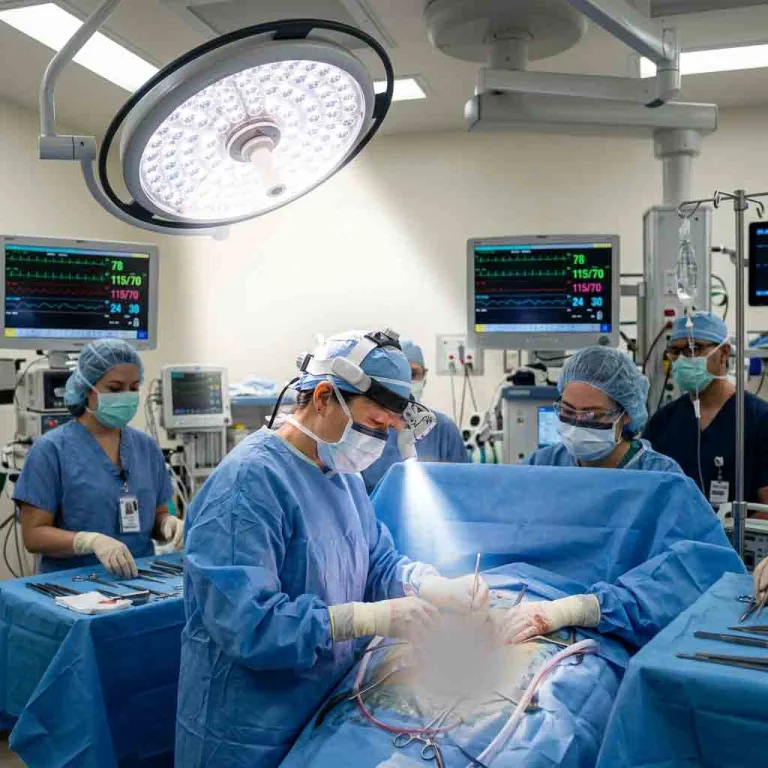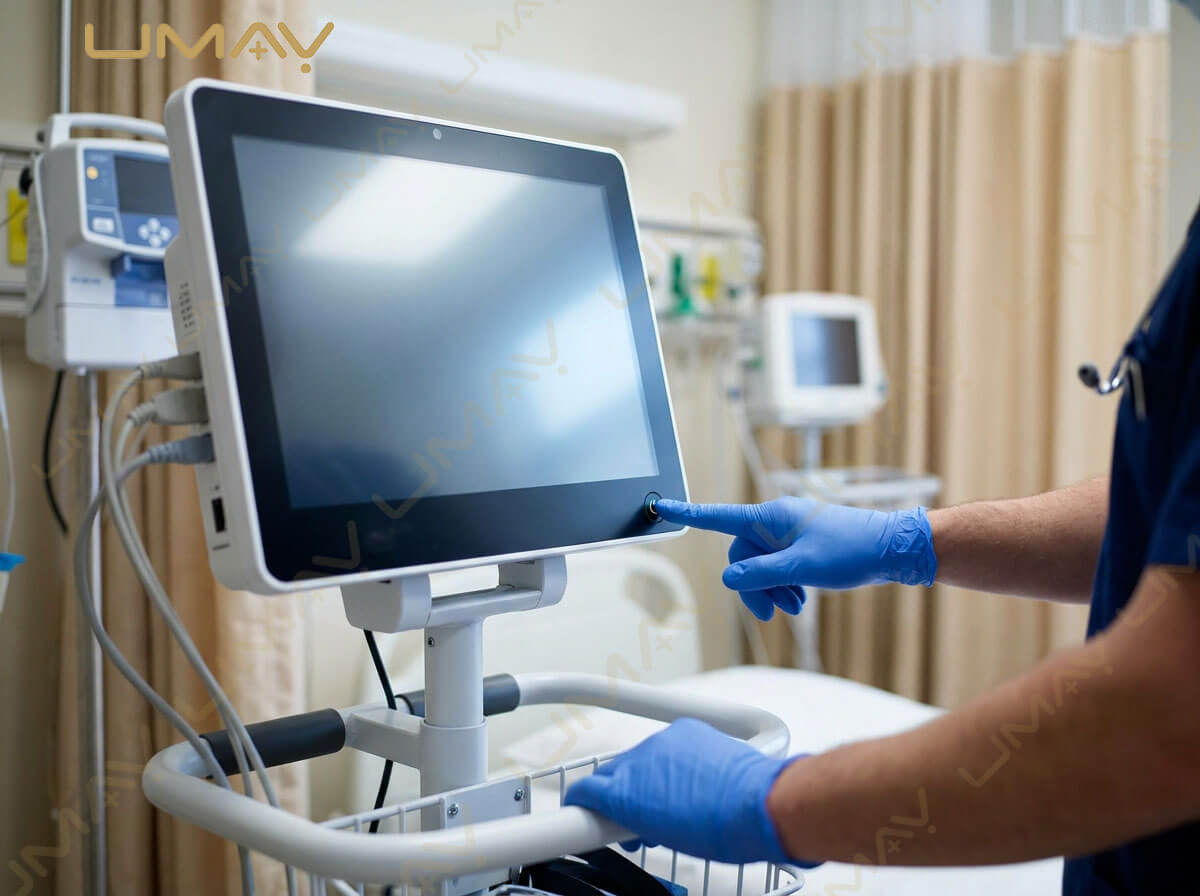
A patient monitor is an important part of hospital patient care. It may be used in the ICU, emergency department, operating room, general ward, PACU, NICU, PICU, clinic, ambulance, or during patient transport.
Like other medical equipment, a patient monitor needs appropriate cleaning, inspection, maintenance, accessory management, battery care, and technical support.
A monitor may display ECG, SpO2, NIBP, respiratory rate, temperature, IBP, EtCO2, and other parameters. However, a displayed value can only be useful when the monitor, sensor, cable, cuff, probe, and patient connection are functioning correctly.
For hospitals and medical equipment buyers, understanding common patient monitor problems can help reduce unnecessary downtime and make equipment procurement and after-sales service easier.
This guide covers patient monitor maintenance, troubleshooting, alarms, accessories, battery problems, sensor issues, cleaning, calibration, preventive maintenance, and supplier support.
Important: The exact maintenance procedure should always follow the manufacturer’s user manual, service documentation, intended use, and applicable local requirements. Medical equipment should be serviced by appropriately trained personnel.
1. Why Patient Monitor Maintenance Matters
Regular maintenance can help hospitals keep patient monitoring equipment available and functioning as intended.
A typical patient monitor includes multiple components:
- Main monitor
- Display
- ECG module
- SpO2 module
- NIBP module
- Temperature module
- IBP module
- EtCO2 module
- Battery
- Power supply
- ECG cables
- SpO2 sensors
- NIBP cuffs
- Temperature probes
A problem with any of these components may affect the monitoring workflow.
For example:
Damaged ECG cable → poor ECG signal
Incorrect NIBP cuff → unreliable blood pressure measurement
Dirty SpO2 sensor → poor sensor performance
Weak battery → shorter transport operating time
This is why patient monitor maintenance should cover both the main device and its accessories.
2. What Is Patient Monitor Preventive Maintenance?
Preventive maintenance means checking equipment before a problem becomes serious.
Depending on the manufacturer’s recommendations, preventive maintenance may include:
- Visual inspection
- Functional testing
- Electrical safety checks
- Alarm verification
- Display inspection
- Battery inspection
- Cable inspection
- Sensor inspection
- NIBP system checks
- ECG function checks
- SpO2 function checks
- Temperature function checks
- Module inspection
- Software review
- Cleaning
The exact maintenance schedule varies by product and application.
Hospitals should maintain service records showing when equipment was inspected, what was checked, and whether any corrective action was required.
3. How Often Should a Patient Monitor Be Serviced?
There is no single service interval that applies to every patient monitor.
The appropriate schedule depends on:
- Manufacturer instructions
- Model
- Clinical application
- Usage frequency
- Hospital maintenance policy
- Local regulatory requirements
- Environmental conditions
- Previous equipment problems
An ICU monitor that operates continuously may experience a different workload from a monitor used occasionally in a clinic.
Therefore, buyers should ask the manufacturer for the recommended:
- Preventive maintenance interval
- Electrical safety inspection interval
- Performance verification procedure
- Battery replacement guidance
- Calibration or verification requirements
4. Daily Patient Monitor Inspection
Before using a patient monitor, staff can perform basic visual and functional checks according to the hospital’s procedures.
Common checks may include:
Physical Condition
Check for:
- Cracked housing
- Damaged display
- Loose connectors
- Damaged buttons
- Broken handles
- Damaged mounting parts
Cables
Check:
- ECG cable
- SpO2 cable
- NIBP hose
- Temperature cable
- IBP cable
- EtCO2 accessories
Look for:
- Cuts
- Cracks
- Exposed wires
- Loose connectors
- Signs of excessive wear
Power
Check:
- AC power
- Power cable
- Battery status
- Charging indicator
Display
Check:
- Screen brightness
- Touchscreen response
- Waveforms
- Numerical values
- Alarm indicators
Any suspected fault should be handled according to the manufacturer’s instructions.
5. Patient Monitor Cleaning
Cleaning is an important part of medical monitor maintenance.
Patient monitors may be exposed to:
- Dust
- Body fluids
- Skin contact
- Disinfectants
- Hospital environmental contaminants
The cleaning method must follow the manufacturer’s approved instructions.
Do not assume that every disinfectant is safe for every monitor.
Before cleaning:
- Follow the manufacturer’s instructions.
- Disconnect the monitor from the patient.
- Disconnect power if required by the procedure.
- Use approved cleaning materials.
- Prevent liquid from entering openings.
- Allow surfaces to dry appropriately.
Do not spray liquid directly into:
- Ventilation openings
- Connectors
- Buttons
- Speakers
- Ports
The exact cleaning agent and concentration should come from the manufacturer’s documentation.
6. Patient Monitor Disinfection
Cleaning and disinfection are not necessarily the same process.
Hospitals should determine the appropriate procedure based on:
- Infection-control policy
- Manufacturer instructions
- Intended use
- Patient environment
- Approved disinfectants
Different accessories may have different cleaning requirements.
For example:
- Reusable SpO2 sensors
- NIBP cuffs
- ECG cables
- Temperature probes
may each require different procedures.
Always check whether an accessory is:
- Reusable
- Disposable
- Single-patient use
- Compatible with a specific disinfectant
7. Common Patient Monitor Problems
Some common problems include:
- Monitor does not turn on
- Screen is blank
- Battery does not charge
- ECG signal is poor
- SpO2 is not displayed
- NIBP measurement fails
- Temperature is not displayed
- EtCO2 waveform is missing
- Frequent technical alarms
- Patient monitor shows “sensor off”
- ECG waveform has excessive noise
- NIBP measurement takes too long
- Monitor cannot connect to central station
- Wi-Fi connection is unavailable
- Touchscreen does not respond
The cause may be related to the monitor itself, the accessory, the patient connection, the power supply, or the configuration.
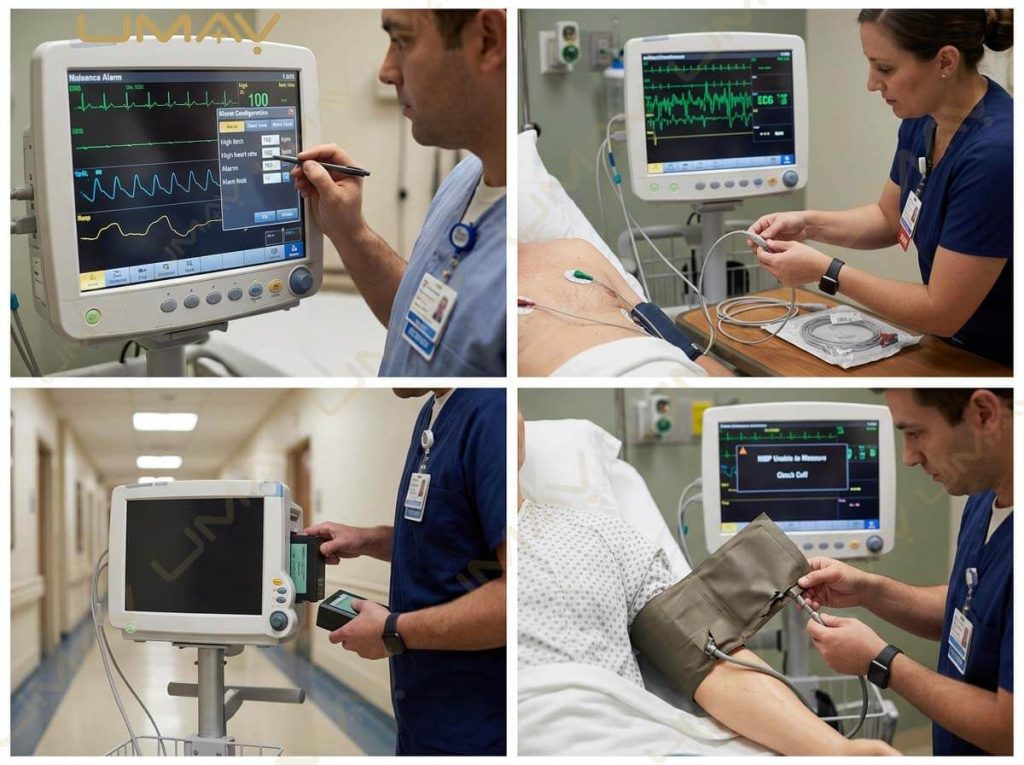
8. Patient Monitor Will Not Turn On
If a patient monitor does not start, check the basic power supply according to the manufacturer’s procedure.
Possible causes include:
- Power cable disconnected
- Wall outlet problem
- Power adapter problem
- Battery depleted
- Battery fault
- Internal hardware issue
A basic troubleshooting sequence may be:
Power source → Power cable → Battery → Monitor
If the monitor still does not turn on, qualified technical personnel should inspect it.
Do not open the equipment enclosure unless you are authorized and trained to do so.
9. Patient Monitor Screen Is Blank
A blank screen can have several possible causes.
Check:
- Is the monitor powered on?
- Is the power indicator active?
- Is the display brightness set appropriately?
- Is the monitor in standby mode?
- Is the power supply stable?
If the monitor appears to be operating but the screen remains blank, it may require technical inspection.
For a hospital with multiple monitors, recording the model, serial number, error condition, and circumstances of failure can help the service team diagnose the problem more efficiently.
10. Patient Monitor Battery Problems
Battery performance is especially important for:
- Transport monitors
- Emergency monitors
- Ambulance monitors
- Portable patient monitors
Common battery problems include:
- Battery does not charge
- Battery drains quickly
- Battery percentage changes unexpectedly
- Monitor shuts down during transport
- Battery operating time is reduced
Possible causes include:
- Battery aging
- Incorrect charging
- Long-term storage
- High usage
- Battery fault
- Charging circuit problem
Hospitals should follow the manufacturer’s battery maintenance and replacement instructions.
Do not use a damaged battery.
11. Patient Monitor Battery Maintenance
Good battery management can help maintain transport readiness.
Hospitals should monitor:
- Battery condition
- Charging status
- Battery age
- Operating time
- Replacement schedule
For transport monitors, hospitals may also consider keeping spare batteries available according to their workflow.
A procurement team should ask the supplier:
- What battery type is used?
- Is the battery replaceable?
- How long does it operate under specified conditions?
- How long does charging take?
- Is a spare battery available?
- How is battery condition displayed?
- What is the recommended replacement procedure?
12. ECG Signal Problems
A common issue with patient monitors is poor ECG signal quality.
Possible causes include:
- Poor electrode contact
- Incorrect electrode placement
- Dry electrodes
- Damaged ECG cable
- Loose lead wire
- Patient movement
- Electrical interference
A basic troubleshooting approach is:
- Check electrode condition.
- Check electrode placement.
- Check lead connections.
- Inspect the ECG cable.
- Check for excessive patient movement.
- Replace the electrode or cable if required.
If the problem remains after checking the accessories and patient connection, technical inspection may be required.
13. ECG Noise on Patient Monitor
ECG noise can appear as an unstable or distorted waveform.
Potential causes include:
- Patient movement
- Muscle activity
- Poor electrode contact
- Cable movement
- Electrical interference
- Damaged electrodes
- Damaged ECG cable
In a hospital environment, electrical equipment near the patient can also contribute to interference.
The first step is usually to check the patient connection and ECG accessories before assuming the monitor hardware is faulty.
14. SpO2 Not Reading
If the patient monitor does not display SpO2, check:
- Is the SpO2 sensor connected?
- Is the sensor positioned correctly?
- Is the sensor damaged?
- Is the cable connected?
- Is the correct sensor being used?
- Is there excessive movement?
- Is the patient connection appropriate?
A “SpO2 sensor off” message may indicate a connection or sensor problem rather than a monitor hardware failure.
Hospitals should use only compatible sensors specified by the manufacturer.
15. SpO2 Signal Is Weak
A weak SpO2 signal may be associated with:
- Sensor placement
- Patient movement
- Poor peripheral circulation
- Ambient light
- Sensor condition
- Cable damage
- Incorrect sensor type
Pulse oximetry measurements can be affected by multiple factors, and FDA notes that device performance may vary under different conditions. (fda.gov)
If a reading appears inconsistent, staff should follow clinical procedures and the monitor manufacturer’s troubleshooting guidance rather than relying on a single displayed number.
16. NIBP Measurement Failure
Common NIBP problems include:
- Cuff not inflating
- Cuff inflates but does not produce a result
- Measurement takes too long
- Repeated measurement failure
- NIBP error message
- Incorrect cuff size
- Air leakage
Possible causes include:
- Incorrect cuff placement
- Incorrect cuff size
- Damaged cuff
- Damaged hose
- Loose connector
- Patient movement
- Air leakage
Check the cuff and hose before assuming the NIBP module itself has failed.
17. NIBP Cuff Size Matters
One of the most common patient monitoring mistakes is using the wrong cuff size.
A patient monitor may support:
- Neonatal cuff
- Pediatric cuff
- Adult cuff
- Large adult cuff
The cuff should be appropriate for the patient and used according to the manufacturer’s instructions.
Hospitals should maintain sufficient quantities of different cuff sizes.
For large projects, buyers should specify the required cuff quantities when requesting a quotation.
18. NIBP Air Leakage
If the NIBP cuff inflates but pressure drops too quickly, possible causes include:
- Damaged cuff
- Loose hose
- Damaged connector
- Air leakage
- Fault in the NIBP pneumatic system
A simple accessory inspection can sometimes identify the issue.
If the leak is inside the monitor or cannot be identified externally, qualified service personnel should inspect the equipment.
19. Temperature Measurement Problems
Temperature monitoring problems may be caused by:
- Loose probe
- Damaged probe
- Incorrect probe type
- Poor connection
- Cable damage
- Configuration problem
Check the probe and cable first.
Always use compatible temperature probes specified by the manufacturer.
20. EtCO2 Monitoring Problems
For monitors with EtCO2, common problems can include:
- No waveform
- Low-quality waveform
- Sampling line blocked
- Water trap full
- Loose connection
- Airway adapter problem
- Incorrect accessory
- Module problem
EtCO2 systems often use specific sampling lines, adapters, or other accessories.
Therefore, troubleshooting should begin by checking the complete sampling pathway.
21. Patient Monitor Alarm Problems
Alarms are an important part of patient monitoring.
Common alarm messages include:
- High HR
- Low HR
- High SpO2
- Low SpO2
- NIBP error
- ECG lead off
- SpO2 sensor off
- Apnea
- Temperature high
- Temperature low
- IBP high
- IBP low
- EtCO2 high
- EtCO2 low
There may also be technical alarms such as:
- Battery low
- Power failure
- Sensor disconnected
- Module error
- Communication error
Staff should understand the difference between patient physiological alarms and technical alarms.
22. What Does “ECG Lead Off” Mean?
An ECG lead off alarm generally indicates that the monitor is not receiving an expected ECG connection.
Possible causes include:
- Electrode detached
- Lead wire disconnected
- Cable damaged
- Poor electrode contact
Check the electrode and cable connections first.
If the problem continues with a known-good compatible cable and electrodes, the monitor may require technical evaluation.
23. What Does “SpO2 Sensor Off” Mean?
This message usually indicates that the monitor is not detecting the expected SpO2 sensor connection or signal.
Check:
- Sensor connection
- Sensor placement
- Cable
- Sensor condition
- Patient movement
- Compatibility
If the sensor works correctly on another compatible monitor but not on the original device, further technical investigation may be appropriate.
24. Touchscreen Problems
Some modern patient monitors use touchscreen displays.
A touchscreen may become difficult to operate because of:
- Dirt
- Moisture
- Gloves
- Screen damage
- Software problems
- Hardware failure
The appropriate cleaning method should follow the manufacturer’s instructions.
If the touchscreen remains unresponsive after basic checks, technical service may be required.
Do not use excessive pressure on the display.
25. Patient Monitor Cannot Connect to Central Station
For networked monitoring systems, connectivity problems may occur.
Possible causes include:
- Network cable disconnected
- Wi-Fi unavailable
- Incorrect network configuration
- Central station issue
- Communication software problem
- Network security settings
- Hospital IT maintenance
The troubleshooting process should involve the appropriate hospital IT team and medical equipment service team.
Do not change network settings without authorization.
26. Wireless Patient Monitor Connection Problems
For wireless monitoring, check:
- Wi-Fi availability
- Signal strength
- Network configuration
- Device registration
- Access point status
- Hospital network policies
Wireless problems may not be caused by the patient monitor itself.
A complete troubleshooting process should distinguish between:
Monitor → Wireless network → Central monitoring server
This is especially important in large hospitals.
27. Patient Monitor Data Transfer Problems
If patient data does not reach the central system or hospital information system, possible causes include:
- Network connection
- Software configuration
- Communication gateway
- Device registration
- Server problem
- Interface configuration
For systems using HL7 or other interfaces, the hospital’s IT and medical engineering teams may need to work together.
28. Patient Monitor Preventive Maintenance Checklist
Hospitals can create a maintenance checklist covering:
Physical Inspection
- Housing
- Screen
- Buttons
- Connectors
- Mounting parts
- Power cable
Monitoring Functions
- ECG
- SpO2
- NIBP
- RESP
- TEMP
- IBP
- EtCO2
Accessories
- ECG cables
- Electrodes
- SpO2 sensors
- NIBP cuffs
- Temperature probes
- EtCO2 accessories
Power
- AC power
- Battery
- Charging
- Battery condition
Alarm
- Visual alarm
- Audible alarm
- Alarm limits
- Technical alarms
Connectivity
- Central station
- LAN
- Wi-Fi
- HIS/EMR interface where applicable
The exact checklist should be adapted to the monitor model and manufacturer’s instructions.
29. Patient Monitor Service Record
Hospitals should maintain equipment service records.
A useful service record can include:
| Item | Information |
|---|---|
| Device | Patient Monitor |
| Model | Model Number |
| Serial Number | Equipment ID |
| Department | ICU / ER / OR / Ward |
| Installation Date | Date |
| Maintenance Date | Date |
| Service Type | Preventive / Corrective |
| Problem | Description |
| Action | Repair / Replacement |
| Parts | Replaced components |
| Technician | Name / ID |
| Next Service | Recommended date |
| Status | Operational / Out of Service |
Good records make it easier to identify recurring equipment problems.
30. When Should a Patient Monitor Be Repaired?
A monitor may require professional service if:
- It repeatedly shuts down
- The display has hardware damage
- Measurement modules fail
- NIBP repeatedly fails after accessory checks
- ECG signal remains abnormal after cable/electrode replacement
- SpO2 module does not work with compatible sensors
- Battery has a confirmed hardware problem
- Internal alarm or communication faults occur
- The device has been physically damaged
- Electrical safety concerns are identified
Hospitals should remove faulty equipment from clinical use when appropriate and follow their medical equipment service procedures.
31. When Should a Patient Monitor Be Replaced?
Repair is not always the most economical solution.
Replacement may be considered when:
- The monitor is obsolete
- Spare parts are no longer available
- Accessories are discontinued
- Repair costs are too high
- The monitor cannot meet current clinical requirements
- The system cannot integrate with the hospital network
- Battery replacement is no longer practical
- Regulatory or compliance requirements have changed
For large hospitals, replacement can also be an opportunity to standardize equipment across departments.
32. Patient Monitor Accessories and Replacement Cost
A hospital should consider the long-term availability of accessories.
Important replacement items include:
- ECG cables
- SpO2 sensors
- NIBP cuffs
- NIBP hoses
- Temperature probes
- IBP cables
- EtCO2 sampling lines
- Batteries
- Power cables
Before purchasing a new patient monitor, ask:
“How long will these accessories remain available?”
This question is especially important for distributors and hospitals purchasing equipment expected to remain in service for many years.
33. Why Genuine Accessories Matter
Patient monitor accessories are part of the measurement system.
Hospitals should use accessories that are compatible with the monitor and appropriate for the intended application.
Examples include:
- Compatible SpO2 sensor
- Compatible NIBP cuff
- Compatible ECG cable
- Compatible temperature probe
- Compatible EtCO2 sampling line
Using an unsuitable accessory may cause:
- Poor signal
- Measurement errors
- Compatibility problems
- Physical damage
- Unexpected alarms
Always follow the manufacturer’s compatibility information.
34. Patient Monitor Maintenance for ICU
ICU monitors often operate continuously.
An ICU maintenance program may pay particular attention to:
- ECG cables
- SpO2 sensors
- NIBP cuffs
- IBP accessories
- EtCO2 accessories
- Alarm functions
- Battery backup
- Network connectivity
- Central monitoring
- Trend storage
Because ICU monitoring can involve many parameters simultaneously, maintenance should be systematic.
35. Patient Monitor Maintenance for Emergency Departments
Emergency departments often use equipment frequently and move it between locations.
Maintenance should therefore consider:
- Battery condition
- Wheels and mounting
- Carrying handles
- Cables
- Sensors
- NIBP cuffs
- Screen condition
- Alarm functions
- Rapid startup
A transport-capable monitor should be checked for readiness before use.
36. Patient Monitor Maintenance for Operating Rooms
Operating room monitors may be exposed to:
- Frequent cleaning
- Long operating sessions
- Multiple accessories
- Anesthesia equipment
- Electrosurgical equipment
- Patient movement
Maintenance should include appropriate checks of:
- ECG
- SpO2
- NIBP
- EtCO2
- Temperature
- IBP
- Alarm functions
- Cables and accessories
The specific checks depend on the monitor configuration.
37. Patient Monitor Maintenance for General Wards
General ward monitors may have a simpler configuration.
Maintenance commonly focuses on:
- NIBP
- SpO2
- Temperature
- Battery
- Display
- Cuffs
- Sensors
- Power supply
Because many ward monitors may be moved from room to room, physical condition and accessory availability are also important.
38. Transport Patient Monitor Maintenance
Transport monitors require special attention to:
- Battery
- Charging system
- Carrying handle
- Mounting system
- ECG cable
- SpO2 sensor
- NIBP cuff
- Display
- Alarm
- Physical damage
Before patient transport, staff should verify that the monitor has sufficient battery power and the required accessories.
Transport equipment should be ready before the patient leaves the original care area.
39. Patient Monitor Storage
When a monitor is not being used, storage conditions should follow the manufacturer’s recommendations.
Consider:
- Temperature
- Humidity
- Dust
- Battery condition
- Physical protection
- Cable storage
- Accessory storage
Do not place heavy objects on cables or sensors.
Long-term storage can also affect batteries, so the manufacturer’s storage and charging instructions should be followed.
40. Patient Monitor Troubleshooting Flowchart
A simple troubleshooting approach is:
Step 1: Check the Patient
Is the patient connection appropriate?
Step 2: Check the Accessory
Is the ECG cable, SpO2 sensor, cuff, probe, or sampling line connected correctly?
Step 3: Check the Monitor
Is the monitor powered on?
Is the correct parameter enabled?
Step 4: Check the Environment
Is there excessive movement or electrical interference?
Step 5: Replace the Accessory
If permitted by the hospital procedure, test with a known-good compatible accessory.
Step 6: Check the Error Message
Record the exact alarm or error code.
Step 7: Contact Technical Support
If the problem remains, contact the manufacturer’s service team or qualified biomedical engineering personnel.
This approach can help avoid unnecessary equipment replacement.
41. Common Patient Monitor Troubleshooting Table
| Problem | Possible Cause | First Check |
|---|---|---|
| Monitor won’t start | Power/battery | Power source |
| Screen blank | Power/display | Power and display status |
| ECG noise | Electrodes/cable/movement | ECG connection |
| ECG lead off | Loose electrode/cable | Lead connection |
| SpO2 missing | Sensor/cable | Sensor connection |
| Weak SpO2 signal | Movement/sensor | Sensor placement |
| NIBP error | Cuff/hose | Cuff and hose |
| NIBP leak | Cuff/hose | Air leakage |
| TEMP missing | Probe/cable | Probe connection |
| EtCO2 missing | Sampling line/module | Sampling path |
| Frequent alarm | Patient/accessory/settings | Alarm message |
| Battery drains fast | Battery aging | Battery condition |
| No central connection | Network | Network status |
| Wi-Fi unavailable | Network/configuration | Wireless connection |
| Touchscreen not responding | Screen/cleanliness/software | Screen condition |
This table is for general troubleshooting only. Follow the specific manufacturer’s instructions for the actual device.
42. Patient Monitor Maintenance for Medical Equipment Buyers
Maintenance should be considered before purchasing, not after the equipment arrives.
When comparing suppliers, ask:
Spare Parts
- Are replacement parts available?
- How long are parts supported?
- Are batteries available?
- Are sensors available?
Technical Service
- Is remote support available?
- Is onsite service available?
- Is technician training available?
- Is service documentation provided?
Warranty
- What does the warranty cover?
- Is the battery covered?
- Are accessories covered?
- What is the response time for warranty issues?
Product Lifecycle
- How long will the model remain supported?
- Is there a newer generation?
- Can the monitor be upgraded?
These questions can significantly affect long-term purchasing value.
43. Questions to Ask a Patient Monitor Manufacturer About After-Sales Service
Before placing a large order, ask:
- What is the warranty period?
- What parts are covered?
- How long are spare parts available?
- Can batteries be purchased separately?
- Can ECG cables be purchased separately?
- Can SpO2 sensors be purchased separately?
- Can NIBP cuffs be purchased separately?
- Is technical training provided?
- Is a service manual available where applicable?
- Is remote technical support available?
- Is onsite service available?
- What is the typical response process?
- Are software updates available?
- Is product registration support available?
- Can the supplier provide long-term technical support?
For international buyers, these questions are particularly useful because returning medical equipment for repair can be expensive and time-consuming.
44. Patient Monitor Training
A good patient monitoring project should include user training.
Training may cover:
- Basic operation
- Parameter setup
- Alarm management
- Sensor connection
- NIBP cuff selection
- ECG cable connection
- SpO2 sensor use
- Cleaning
- Battery charging
- Basic troubleshooting
- Equipment storage
Technical staff may require additional training in:
- Preventive maintenance
- Performance verification
- Troubleshooting
- Module replacement
- Network configuration
- Service procedures
Training requirements should be agreed with the supplier before purchase.
45. Patient Monitor Maintenance for Distributors
Medical equipment distributors have additional responsibilities.
A distributor may need to maintain inventory of:
- Patient monitors
- ECG cables
- SpO2 sensors
- NIBP cuffs
- Batteries
- Temperature probes
- EtCO2 accessories
- Replacement parts
A distributor should also understand:
- Product specifications
- Application areas
- Basic troubleshooting
- Warranty process
- Spare parts ordering
- Customer training
- Local registration requirements
A reliable after-sales system can be an important part of long-term customer relationships.
46. Patient Monitor Quality Control
Hospitals can develop quality control procedures for monitoring equipment.
Possible quality management activities include:
- Equipment registration
- Preventive maintenance
- Corrective maintenance
- Performance verification
- Accessory inspection
- Battery tracking
- Service records
- User training
- Incident reporting
The exact requirements depend on the hospital and applicable regulations.
The goal is to keep monitoring equipment appropriately maintained and available for clinical use.
47. Patient Monitor Maintenance Checklist for Procurement
Before ordering a patient monitor, ask the supplier to provide:
Product
- Product specification
- User manual
- Product brochure
- Parameter list
- Optional module list
Maintenance
- Maintenance recommendations
- Cleaning instructions
- Preventive maintenance information
- Battery instructions
- Troubleshooting guide
Accessories
- Accessory list
- Compatible sensors
- Compatible cuffs
- Replacement parts list
Compliance
- Applicable certificates
- Regulatory documentation
- Quality management documentation
Service
- Warranty policy
- Spare parts policy
- Technical support
- Training program
A complete document package can make product evaluation easier.
48. Patient Monitor Maintenance FAQ
How often should a patient monitor be maintained?
The recommended interval depends on the model, manufacturer instructions, hospital policy, usage, and local requirements.
What should be checked on a patient monitor?
Common checks include physical condition, power, battery, cables, sensors, monitoring functions, alarms, and connectivity.
Why is my patient monitor showing ECG lead off?
Possible causes include a disconnected electrode, poor electrode contact, loose lead wire, or damaged ECG cable.
Why is SpO2 not working?
Check the sensor, cable, connection, patient placement, and compatibility. If the problem continues, follow the manufacturer’s troubleshooting procedure.
Why does NIBP fail?
Possible causes include incorrect cuff size, poor cuff placement, air leakage, damaged tubing, patient movement, or a technical problem.
Why does my patient monitor battery drain quickly?
Battery aging is one possible reason. Other causes can include usage conditions, charging issues, or battery faults.
Can I clean a patient monitor with alcohol?
Only use cleaning or disinfecting agents approved by the manufacturer for that specific device. Do not assume that alcohol or another disinfectant is compatible.
Can I replace a patient monitor battery myself?
Only if the manufacturer specifically allows it and the procedure is appropriate for the device. Otherwise, use qualified service personnel.
How do I troubleshoot a patient monitor?
Start by checking the patient connection, accessory, power, monitor settings, and displayed error message. If the issue remains, contact qualified technical support.
How long does a patient monitor last?
Service life varies by manufacturer, model, usage, maintenance, software support, and availability of replacement parts.
When should a patient monitor be replaced?
Replacement may be considered when the equipment is obsolete, unsupported, repeatedly fails, cannot meet current requirements, or is no longer economical to maintain.
What patient monitor accessories should hospitals keep in stock?
Common stock items include ECG cables, SpO2 sensors, NIBP cuffs, NIBP hoses, temperature probes, batteries, and other application-specific accessories.
Does a patient monitor require calibration?
Maintenance and verification requirements vary by model and parameter. Follow the manufacturer’s service documentation and applicable local requirements.
Why is patient monitor preventive maintenance important?
Preventive maintenance helps identify wear, accessory problems, battery issues, and functional problems before they create unnecessary equipment downtime.
Conclusion
Proper patient monitor maintenance is an important part of hospital equipment management.
A reliable maintenance program should cover not only the monitor itself but also:
- ECG cables
- SpO2 sensors
- NIBP cuffs
- Temperature probes
- IBP accessories
- EtCO2 accessories
- Batteries
- Power cables
- Network connections
Many common problems can begin with a simple accessory issue. An ECG lead-off alarm may be caused by an electrode or cable. A failed NIBP measurement may be related to the cuff or hose. A missing SpO2 reading may be related to the sensor.
For this reason, troubleshooting should start with basic checks before assuming that the main monitor has a hardware failure.
For hospitals, clinics, distributors, and medical equipment buyers, after-sales service should also be considered when selecting a patient monitor manufacturer. Warranty, spare parts, accessory availability, technical training, maintenance documentation, and long-term support can be just as important as the initial equipment price.
A well-planned patient monitoring program combines the right equipment with appropriate accessories, trained users, preventive maintenance, clear service procedures, and reliable technical support. This approach can help hospitals maintain monitoring equipment throughout its working life and build a more efficient medical equipment management system.